One Dashboard for Every AI Agent You Run
See what Claude Code, Codex, Gemini CLI, OpenCode, and Aider are costing you. Approve risky actions from your phone. Set budget limits that actually stop runaway spend. All end-to-end encrypted.
Works with the agents you already use
Built for Developers Who Run AI Agents in Production
Cost Tracking Across Every Agent
Per-session, per-agent, and per-model breakdowns. Budget limits that enforce themselves. Tag sessions by client for invoicing.
Remote Permission Control
Approve or deny risky actions from your phone. Risk badges tell you what needs attention and what does not.
Five Agents, One Dashboard
Claude Code, Codex, Gemini CLI, OpenCode, and Aider in a single view. Live status, session history, and error attribution.
Control Your Agents From Anywhere
Approve permissions, track costs, and monitor sessions from your phone. No laptop required.
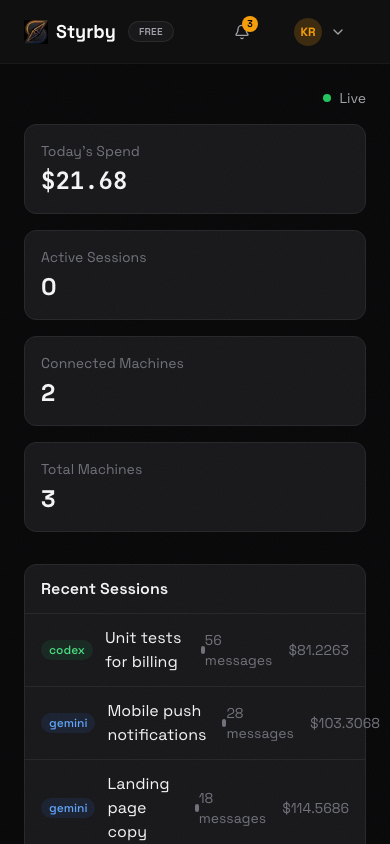
Dashboard
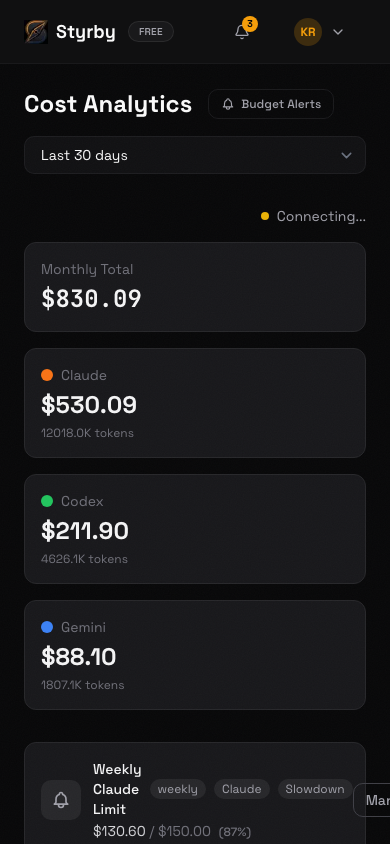
Cost Analytics
Three Steps. Ninety Seconds. Done.
Install the CLI
One command. Works alongside your existing agent setup with zero config changes.
npm install -g @styrby/cliScan the QR Code
Pair your phone or browser to your machine. No account forms, no email verification. Just scan and go.
See Everything
Live agent activity, cost analytics, and permission controls. All encrypted, all in one place.
Free for one machine. Pro when you need more.
No credit card required. No trial that expires. Connect one machine and use it forever.
Questions You Should Ask Before Trusting Any Tool With Your Agent Data
Your agents are running right now. Do you know what they cost?
Install the CLI, scan the QR code, and find out in 90 seconds.